‘The Languages of Light’
Project 3 – Ex Nihilo
Exercise 4.3 – Egg or Stone
Brief
Use a combination of quality, contrast, direction and colour to light an object in order to reveal its form. For this exercise, we recommend that you choose a natural or organic object such as an egg or stone rather than a man-made object. Man-made or cultural artefacts
can be fascinating to light but they’re already authored to some degree, which requires interpretation by the photographer; this exercise is just about controlling the light to reveal form.
You don’t need a studio light for this exercise; a desk lamp or even window light will be fine, although a camera flash that you can use remotely is a useful tool. The only proviso is that you can control the way the light falls on the subject.
Take some time to set up the shot. If you’re shooting an egg, you should think about emptying it first so that it will stand up. This is really a topic for advanced students at Level 3 but you may get some help from Google. The background for your subject will be crucial. For a smallish object, you can tape a large sheet of paper or card to the wall as an ‘infinity curve’ which you can mask off from the main light source by pieces of card. You don’t need to use a curve if you can manage the ‘horizon line’ effectively – the line where the surface meets background. Taking a high viewpoint will make the surface the background, in which case the surface you choose will be important to the shot.
Exposure times will be much longer than you’re used to (unless you’re using flash) and metering and focusing will be challenging. The key to success is to keep it simple. The important thing is to aim for four or five unique shots – either change the viewpoint, the subject or the lighting for each shot.
Add the sequence to your learning log. Draw a simple lighting diagram for each of your shots showing the position of the camera, the subject and the direction of the key light and fill. Don’t labour the diagrams; quick sketches with notes will be just as useful as perfect graphics.
(Bloomfield, 2018)
Initial Response
As long winded as the brief seemed, it carried a lot of thought and I think the shoot will take some planning and thinking. I already have a few ideas, taken by previous inspiration and have a lead on where I want to go with this. I think that as a shoot, a subject such as an egg or another organic produce can show its form under various light placements and rays is an interesting idea. I feel that this shoot will be challenging and may pose many obstacles if I am going to attempt a studio like shoot. A ghetto version. My aim, is to show the form, show the form through light and positioning. This will be done by applying the four main rules as such, quality, contrast, direction, and colour. These will all help me produce a really good shoot, by keeping this in mind and by trying to adapt the shoot in various ways to make it work.
Mind Map
To view my mind map, click the link.
Shoot Plan
For this shoot, I will be shooting on Manuel mode. I will be using a white background and my subject for this shoot will be a chilli. I am not sure what type of chilli yet, until I have gone to the shop, but hopefully something that has an unusual shape to it. I will be using different techniques and camera settings to produce the best outcome possible, to show the form of the chilli. Lighting, and positioning, along with my research will help me vastly towards this. I think this shoot will be somewhat of a challenge, as I have never really shot anything in this kind of respect before. I want the chilli to stand out and to become something else, to become a form and to release its texture and shape, to the point where it is interesting, and not ‘just another chilli’ but something much more.
Edit:
I didn’t realise that most chillies are not in season, and therefore have focused my shoot on a number of vegetables, ones that have unique form. I have also decided to use a black backdrop because this will show colour and tones more through the lighting.
Contact Sheet
Because of space on WordPress, instead of uploading my contact sheet, and my contact sheet annotation as two separate documents, I have decided to remove all contact sheets, and just have the one, which will show the contact sheet, but also have annotations on them because they are pretty much the same document, just one with text, and one without.
Please click on the link below to view the one for this shoot.
Shoot
Image 1
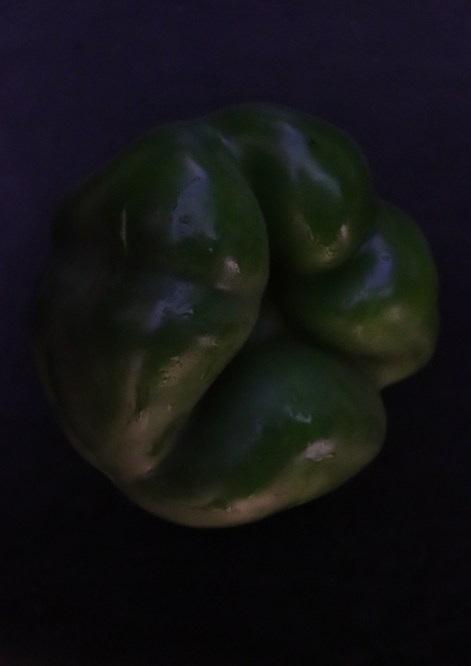
Image 1 B&W
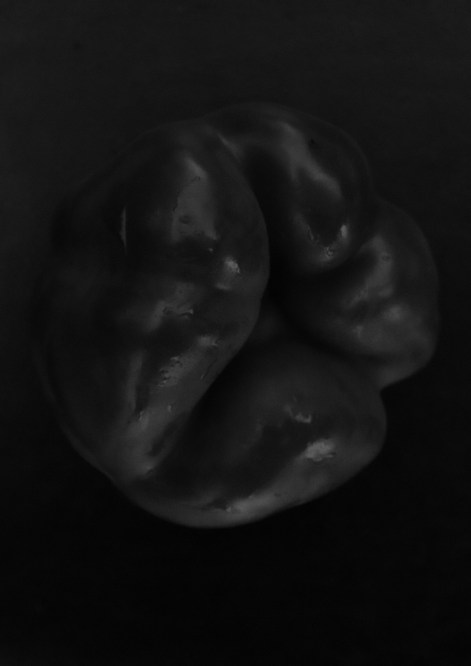
Image 2
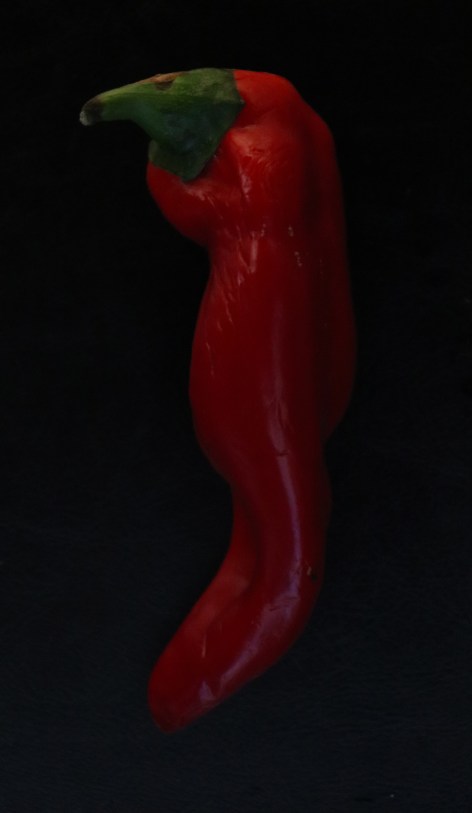
Image 2 B&W
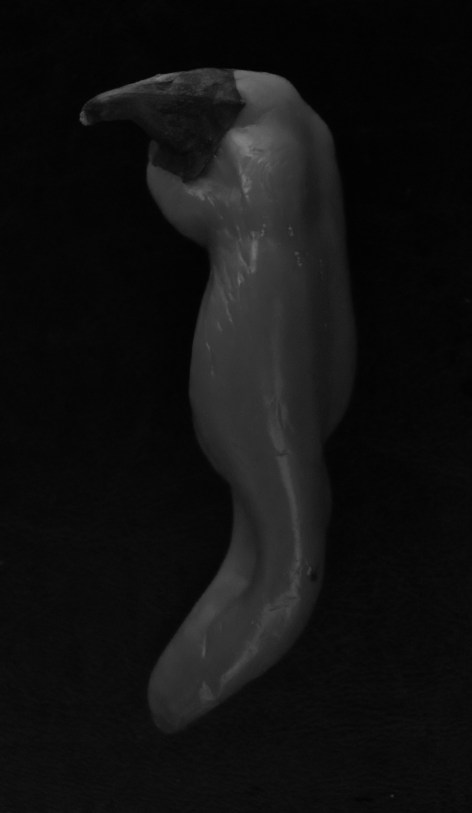
Image 3
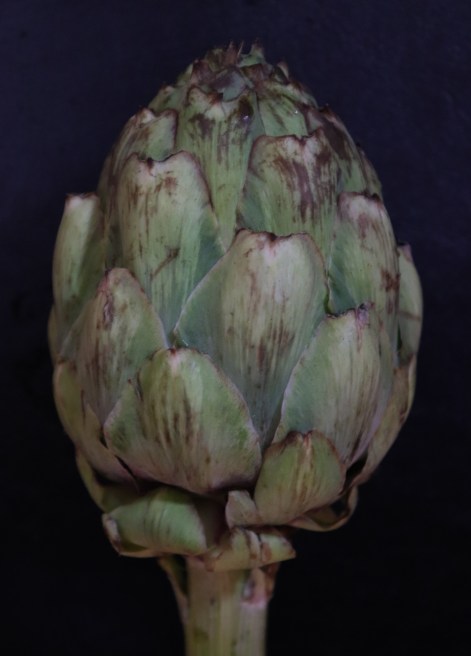
Image 3 B&W
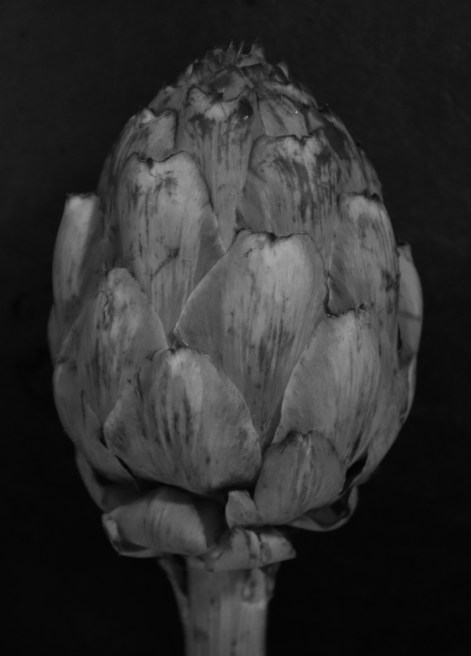
Image 4
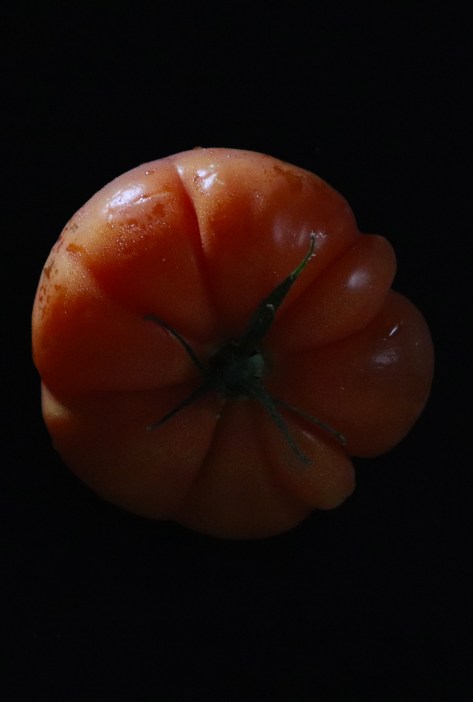
Image 4 B&W
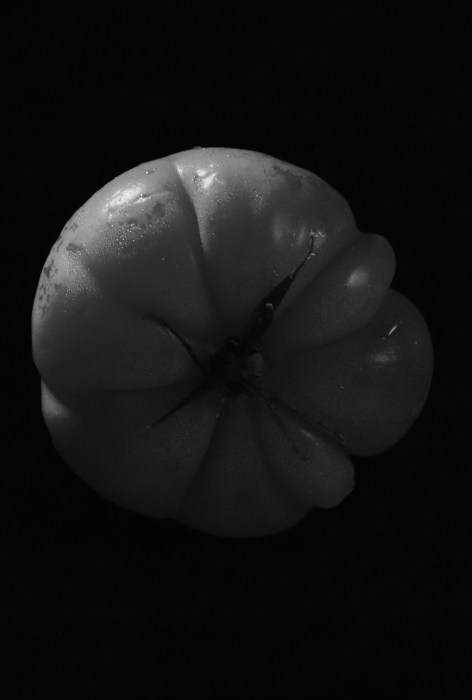
Image 5
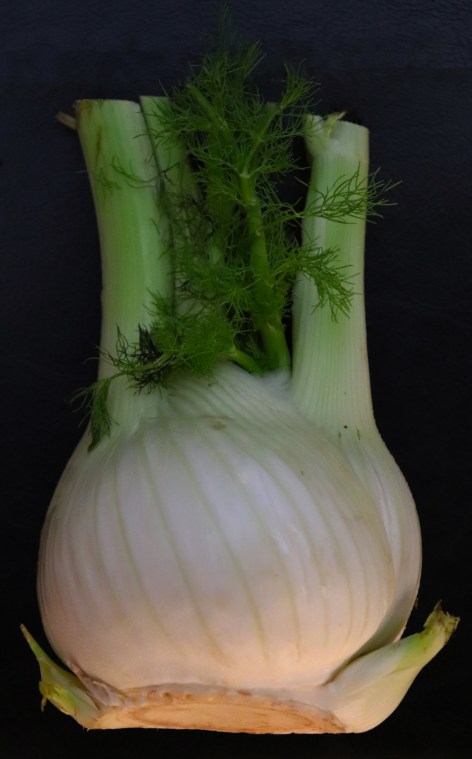
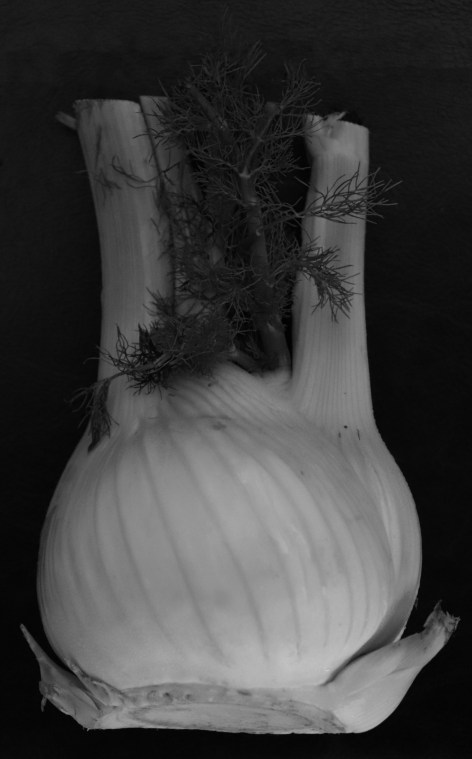
Image 5 B&W
Aperture, ISO, Shutter Speed
Image 1 –
Aperture: 5.6
ISO: 6400
Shutter Speed: 1/4
Image 2 –
Aperture: 5.6
ISO: 6400
Shutter Speed: 1/4
Image 3 –
Aperture: 6.3
ISO: 5000
Shutter Speed: 1/4
Image 4 –
Aperture: 5.6
ISO: 6400
Shutter Speed: 1/100
Image 5 –
Aperture: 5.0
ISO: 6400
Shutter Speed: 1/4
Diagram of Light
Although my diagram isn’t very technical, I did this diagram showing the light source, and the direction in each image and where I was positioned.

Annotations
Click the link to view my annotations.
Reflection
I feel this shoot has been much stronger than my last shoot, and have thoroughly enjoyed setting it up and executing it. There are a few parts I feel where I could have made life easier, such as using a tripod, moving the shoot and trying some more variety of settings. Overall, I am happy with how the images came out.
Demonstration of Technical and Visual Skills
I used materials such as the background, and the objects to create images that fit the brief. Techniques I used, such as using lighting, and correct exposures to help get the desired effect worked well. I used my observational skills to work the form and create imagery that showed form by positioning the veg in a way which best presented form. Compositionally, I don’t think I could go far wrong with the images as I know what was needed in the frame and how to set this up.
Quality of Outcome
My content included my knowledge and my process of the shoot and my thoughts on this. I presented my work in an orderly fashion, like I do with all my work, making it easy to navigate and to understand. I communicated my ideas as best to my ability and showed that my planning was effective, as this helped me with the shoot.
Demonstration of Creativity
I tried to be as imaginative as possible by shooting something unique which would really show form, and something strange, that didn’t really look what it was labelled. To make you think ‘hang on that’s a what?!’. I experimented with long exposures, and different camera settings to ensure images were correctly done.
Context
I have done adequate research, which helps back my shoot and my ideas and gives a base for the shoot. I have thought critically about the shoot in my annotations and in my reflection where I always lay down what did and didn’t go so well and other aspects that I have taken into consideration.
Exercise 4.4 – Personal Voice
Brief
Make a Google Images search for ‘landscape’, ‘portrait’, or any ordinary subject such as ‘apple’ or ‘sunset’. Add a screengrab of a representative page to your learning log and note down the similarities you find between the images.
Now take a number of your own photographs of the same subject, paying special attention to the ‘Creativity’ criteria at the end of Part One. You might like to make the subject appear ‘incidental’, for instance by using focus or framing. Or you might begin with the observation of Ernst Haas, or the ‘camera vision’ of Bill Brandt. Or if you’re feeling bold you might forget about your camera completely and think about the tricky question of originality in a different way – http://penelopeumbrico.net/index.php/project/suns/
Add a final image to your learning log, together with a selection of preparatory shots. In your notes describe how your photograph or representation differs from your Google Images source images of the same subject.
(Bloomfield, 2018)
(Umbrico, 2006)
Initial Response
I feel that this exercise is very simply and states a point when it comes down to creativity. It does make you think, and after reading the rest of the materials leading up to this exercise, made me think, and think in a different way about this shoot, then how I would normally approach it. I think when I look into the sources mentioned in the materials in depth, I will develop more of a sense for creativity and the importance of it and the benefits of it within photography, in every aspect.
Mind Map
To view my mind map, click the link.
Shoot Plan
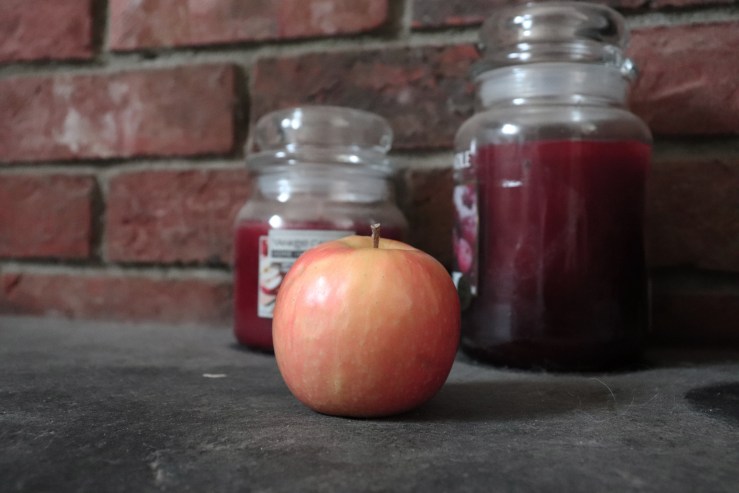
Firstly, I am going to do the first part of the brief, in which I will do the screengrab and note down similarities. Then, for the shoot itself, I will take numerous images, where I will take extra care of creativity. An unusual one I am contemplating to fulfil the brief, would take your typical everyday object, make it my subject, and then place it in places, you just wouldn’t. I don’t know how this is going to make me feel, nor do I know if this will work, but for example, an apple. If you type in apple into google, and those red and green juicy round objects come up, I am guessing that 99.9 % of them would be presented in such a way, that it would look attractive, it would look yummy, right? Whether it is a studio shoot, or fresh from the tree, or on a plate or in a fruit bowl. But, I am guessing there is no apples on say, a radiator, or toilet sink? Why? Because that would be disgusting right? I mean who would want to eat an apple once it has been in those locations? The purpose of this shoot is creativity, and is this classed as ‘normal’? I am presuming the answer is no. Therefore, this shoot will either work, or it won’t, that is how creativity is made, by choices by thinking outside the box.
Part 1 – The Search
Please click on the link to see Part One of this exercise, and my search results and my annotation of the results. I searched for ‘Apple’ and I must say the results were pretty much as expected.
Contact Sheet
Click the link to view my selection process.
Shoot
Image 1
Aperture, ISO, Shutter Speed
Image 1 –
Aperture: 5.6
ISO: 6400
Shutter Speed: 1/160
Annotation / Differences
Please click the link to view my annotation which also states the differences between that and of the screengrab.
Reflection
This was a really fun exercise. I really liked the challenge and thought that I showed my creative side and did something outside my comfort zone and different to the normality. I prepared well and the resources and artists provided by the course content really gave me a good insight for the shoot and creativity as a whole. After completing the exercise, I now feel much more confident within that area.
Demonstration of Technical and Visual Skills
I used various materials and techniques throughout the shoot. Although this shoot was not 500 images long like previous shoots, I still approached it with the same kind of mentality. I tried changing it up by planning accordingly and making sure that when executing the shoot that it was in the best possible way I could with the resources available to me. I used observational skills to really take note mentally of the different artists and quotes and my own research in order to make myself comply and make sure that what I was doing was in accordance with the brief. I was visually aware of what needed to be done and decided to use my creativity to help visually with a strong shoot. Design and compositionally the shoot went amazingly, and I created some very unique images with the help of composition sitting as one of the main ideas around the shoot. This can be seen when including dirty objects as backdrops to my images.
Quality of Outcome
My content has been adequate as I have done the amount of work that I feel is good in quality and quantity and within this I have applied my knowledge throughout, outlining why I have done certain things. I have presented my work, as usual, in a manner which is easy to follow and understand. I communicated my ideas well as I noted down in my shoot plan and mind map, and executed in the shoot. I feel that I have judged this shoot well and got the desired outcome from using my photographic abilities.
Demonstration of Creativity
This is the main point of the shoot. Creativity!! I think that my creativity abilities have been pushed and used well throughout this exercise. I have managed to do a shoot outside my comfort zone, and away from ‘the norm’. I have taken the brief, and have not taken it literally, and managed to think of something unusual with a desired outcome which I managed to pull off and made worthwhile, which is showcased in my photography. I feel that to be creative you would have to do a shoot that showed as not a normal shoot, with the images being rare and uneasy. Not seen as normal. I experimented with different locations to try and accomplish what I originally set out to do in my shoot plan.
Context
I reflected as best to my ability on my shoot, and my selection process and my annotation. I have stated the differences to the web search and talked about my inspiration and my thinking behind the shoot. My shoot was backed by my planning and research and I feel this sits well with the shoot I produced.
© Lewis.Gibson.Photography.2019
 Gibsonphotography